
Playbook
How to use austories
Everything you need to read, follow, and create AU stories told in image panels. Pick your track below.
1.Find something to read
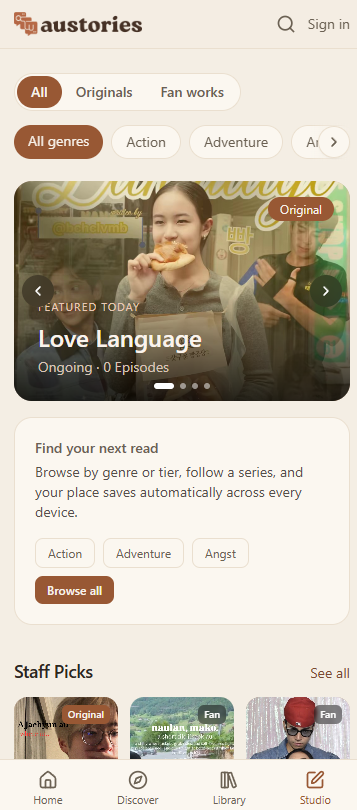
Every story on austories is an AU (alternate universe) told as a stream of image panels, a bit like scrolling social posts.
- 1Open the home page to see featured series, genres, and what is trending right now.
- 2Tap a genre, or use Discover to search by title, fandom, creator, or a tag like a ship name.
- 3Trending searches show up as shortcut chips under the genres, so you can jump straight into what people are reading.
2.Read a story
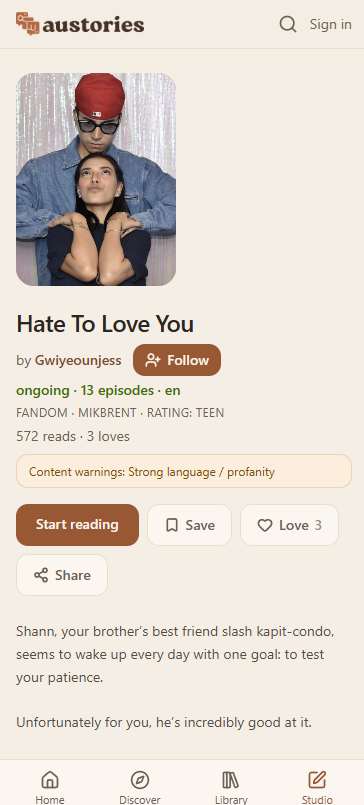
Open any series to see its cover, synopsis, and episode list.
- 1Tap an episode to open the reader, then scroll down through the panels. Nothing is cropped, each panel is shown in full.
- 2As a guest you can read the first 2 episodes of any series for free. Signing in is free and lets you keep reading.
- 3Once you are signed in your place is saved automatically, so you can pick up exactly where you left off.
3.Build your library
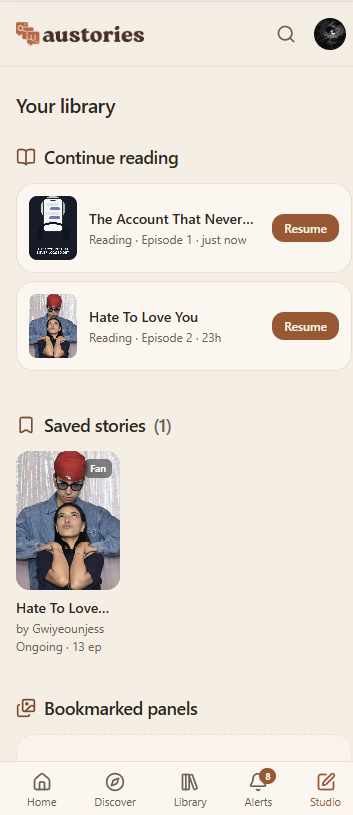
- 1Save a series to your library from its page so it is easy to find again.
- 2Follow a creator to get their new work in your feed.
- 3The series page shows a progress bar and marks each episode Done, Continue, or New, so you always know where you are.
4.React, comment, and bookmark
- 1Love a series to show support and help it climb the popular lists.
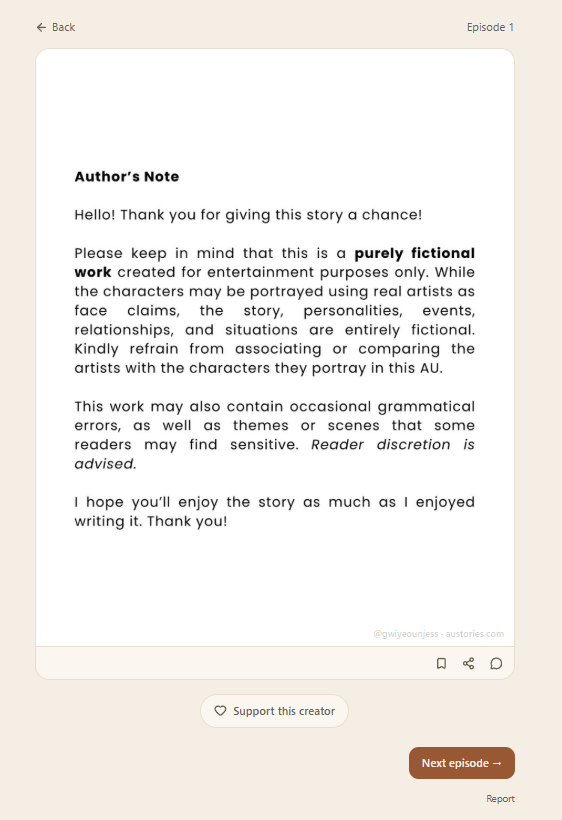
- 2Comment on an episode, or tap the bubble on a single panel to comment right there.
- 3Bookmark a panel to keep a favorite moment in your library.
6.Content warnings and safety
Every series carries content warnings and an audience rating, so you know what you are opening before you start.
- 1Mature-rated series are age-gated. You confirm you are 18 or over once, then read normally.
- 2See something that breaks the rules? Use the report button on the work, or email safety@austories.com.
austories does not host explicit sexual content. Mature covers romance, suggestive scenes, violence, or strong language.
7.Supporting creators
austories is a free, community-run archive. There are no ads and no paid tiers, and reading is always free.
- 1Many creators add a tip jar. Tap Support this creator at the end of an episode, or on their profile, to tip them directly.
- 2Tips go straight to the creator through their own link (Ko-fi, PayPal, GCash, and more), entirely outside austories.
8.Your account and settings
- 1Set your display name and profile photo in Settings. These show on your comments and reactions.
- 2Choose which notifications you receive.
- 3Under Security you can change your password or email, sign out of all devices, or delete your account.